openwebrxplus-plugins
This receiver plugin will track the Doppler shift frequency of a chosen satellite. Useful for SSTV/Packet.
On newer OpenWebRX+ versions, the DOP button opens a built-in resizable plugin window containing the Sat ID, TRACK/STOP controls and Satellite Finder. The DOP button is highlighted while Doppler tracking is active. Older versions keep the original receiver row and Finder dialog. Closing Finder stops its automatic five-second refresh but does not stop active Doppler tracking.
This plugin started as a port of work by Sergey Osipov.
Then I switched to CelesTrak JSON API and created Satellite Finder modal window.
Preview
Usage
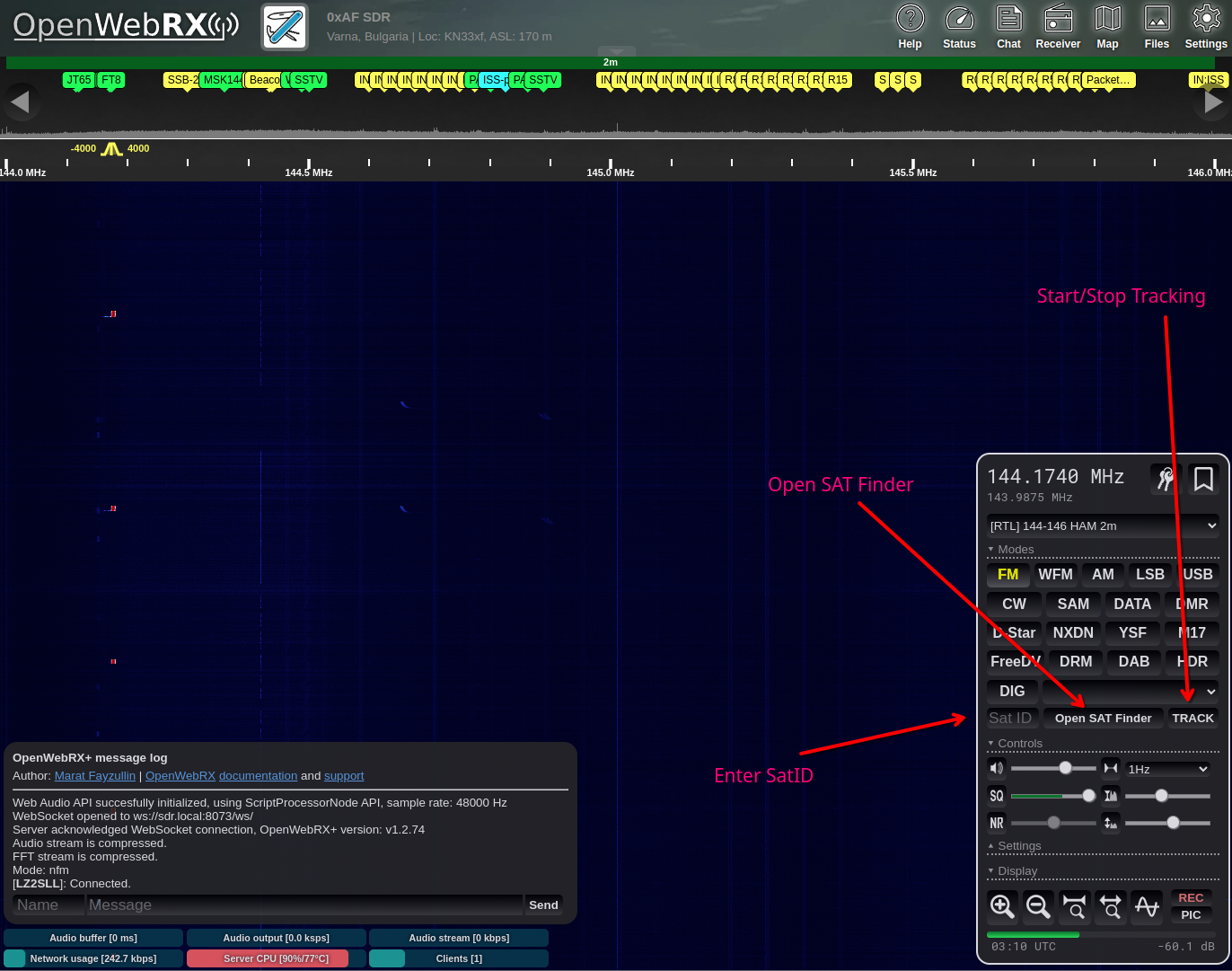
- Click DOP to open the Doppler window, then choose a satellite or enter its Sat ID if you know it. On older OpenWebRX+ versions, use Open SAT Finder in the receiver row.
- Click TRACK.
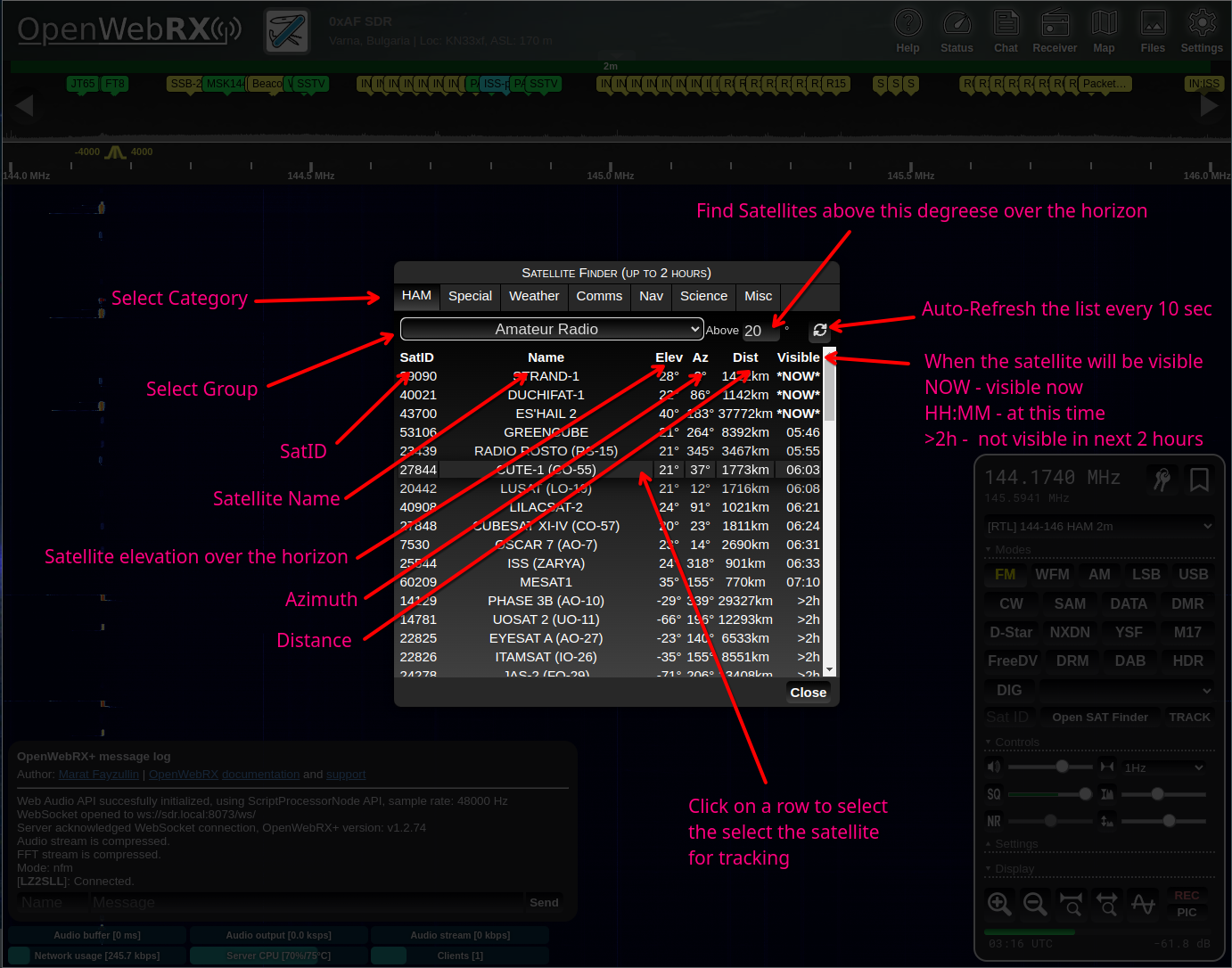
The Satellite Finder will help you find a satellite and will give useful information on each satellite. On newer OpenWebRX+ versions, selecting a satellite keeps the window open so you can start tracking immediately.
Load
Add this line in your init.js file:
Plugins.load('https://0xaf.github.io/openwebrxplus-plugins/receiver/doppler/doppler.js');
init.js
Learn how to load plugins.