openwebrxplus-plugins
Deprecated on newer OpenWebRX+ versions. Open the receiver’s Settings section and enable Show pointer frequency instead. If this plugin is loaded on a version with the built-in option, it prints that instruction in the browser console and does not create a second frequency tooltip. It continues to work on older versions.
This receiver plugin will:
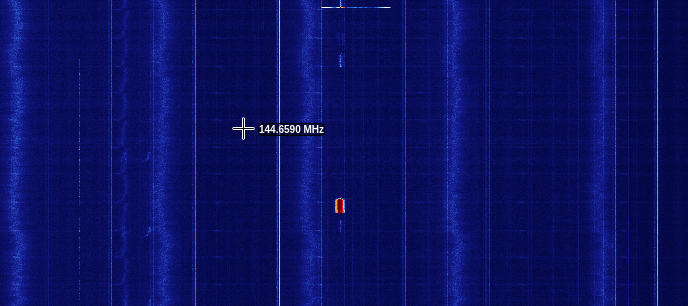
- Show the frequency next to the mouse cursor when it is on the waterfall
(I saw this on https://rikmotik.ru and decided to make a plugin.)
On older OpenWebRX+ versions, the plugin depends on utils v0.4 or newer.
Preview
Load
For older OpenWebRX+ versions only, add these lines in your init.js file:
await Plugins.load('https://0xaf.github.io/openwebrxplus-plugins/receiver/utils/utils.js');
await Plugins.load('https://0xaf.github.io/openwebrxplus-plugins/receiver/mouse_freq/mouse_freq.js');
init.js
Learn how to load plugins.